What Is Computer Networking ?
Introduction to Computer Networking.

Intro.
While you're reading this blog on your device, you’re standing on top of one of the greatest inventions in human history, a giant invisible global computer network.
Every click, scroll, search, upload, and message you send on the internet relies on computer networking.
In this blog, we will explore the what, why, and how of computer networking, including the history of ARPANET, its basic components, types, models, protocols, topologies, and applications.
What is computer networking?
Computer networking is the interconnection of computers or devices (smartphones, servers, routers, etc.) through wired or wireless media so they can communicate and share data using defined rules called protocols.
In simple terms, it is electronic machines talking to each other over a network.
Why is Computer Networking important?
Modern digital society has computer networks as its foundation. Without networking, the internet we know wouldn’t exist. Without it email, social media, video streaming and online banking and similar services wouldn’t exist.
Sending and receiving messages.
Sharing files, images, and videos.
Accessing the internet and cloud services.
Communicating across cities, countries, and continents.
You are not just browsing the internet. You are interacting with a global, distributed, invisible machine built over decades of research, innovation, and engineering.
It reduces cost, increases efficiency, and removes geographical boundaries.
How Computer Networking Works?
Let’s take an example of something you do every day sending text message and picture to a friend.
Step 1: You create a text message and attach a picture.
Step 2: The data is compressed to reduce size and encrypted to protect it from hackers.
Step 3. Breaking the message and picture into chunks which are called packets for efficiency and reliability. Each packet has your IP address and your friends IP address.
Step 4. This message travels form your phone → WiFi router/ network tower → messaging app server (which is just another computer) → your friend's phone.
Step 5. After the message gets delivered decryption of data takes place and displays the message and picture.
It feels instant but it is incredibly complex. This process is powered by coordinated layers, protocols, and routing systems.
Brief History: The Beginning with ARPANET
In 1969, a U.S. Department of Defense (Now Department of War) project called ARPANET laid the foundation for what would become the Internet. The first message ever sent over ARPANET was supposed to be “LOGIN”, sent from UCLA to Stanford.
The system crashed after the first two letters.
The first internet message in history was:
“LO”
From that small experiment grew a global network connecting billions of devices. ARPANET was eventually decommissioned in 1990, but the protocols and principles it pioneered particularly TCP/IP, which became the backbone of the modern internet.
Basic Components of a Network
End Devices → Computers, phones, servers. The machines that send and receive data.
Networking devices → Routers, Switches, Modems. The hardware that moves data between end devices.
Transmission Media → Ethernet Cables, Twisted Pair Cables, Fiber Optics, Wireless signals. The physical or wireless channels data travels through.
Protocols → Predefined rules for communication. The agreed-upon rules governing how data is formatted, sent, received, and acknowledged.
Types of Networks
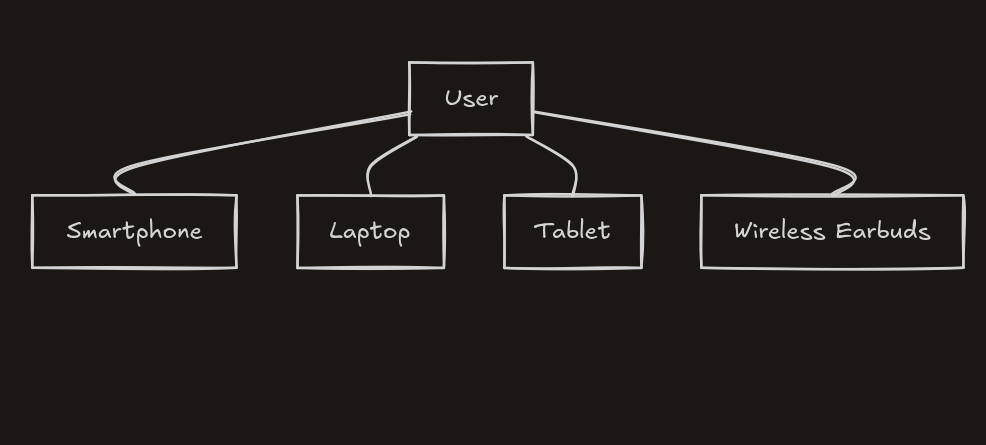
PAN (Personal Area Network) → Very short range, like Bluetooth between your phone and earbuds.
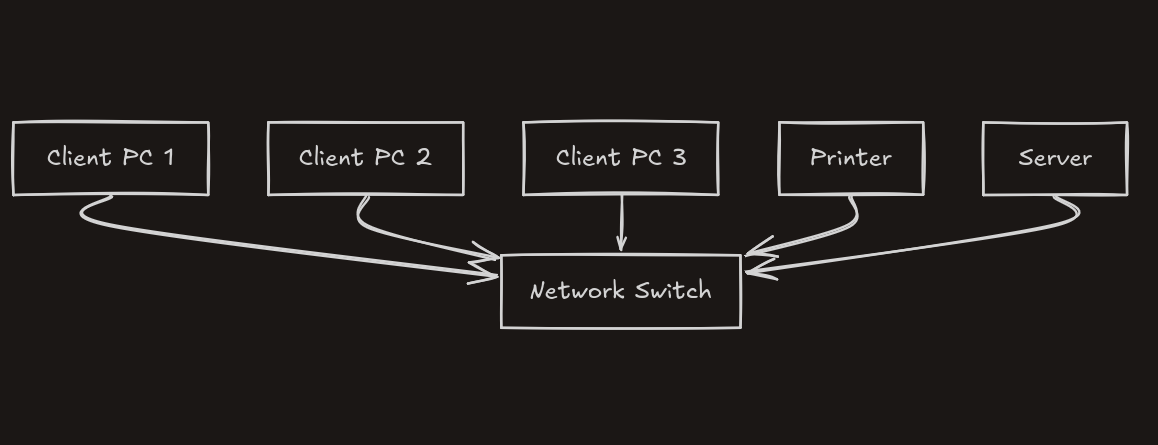
LAN (Local Area Network) → Home, office, or campus networks; usually high-speed and privately managed.
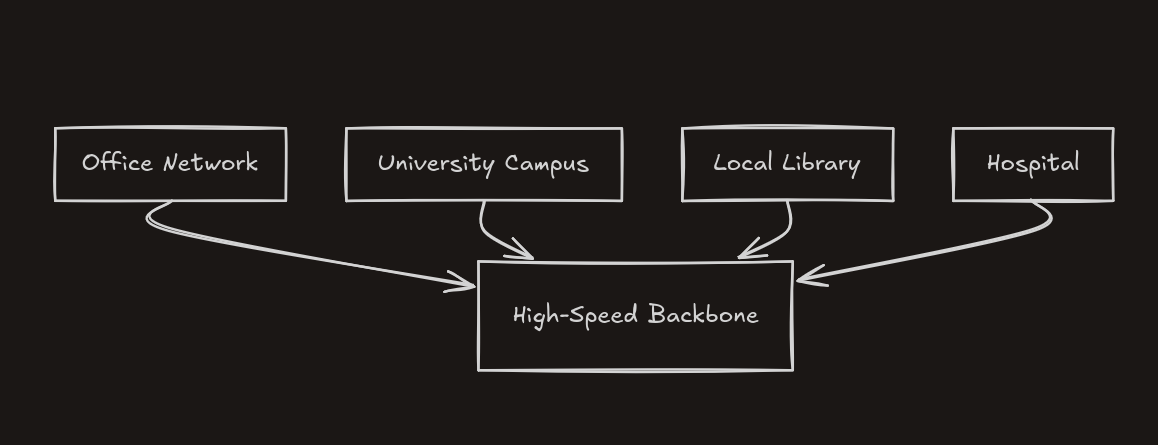
MAN (Metropolitan Area Network) → City-level; often used by ISPs or large institutions.
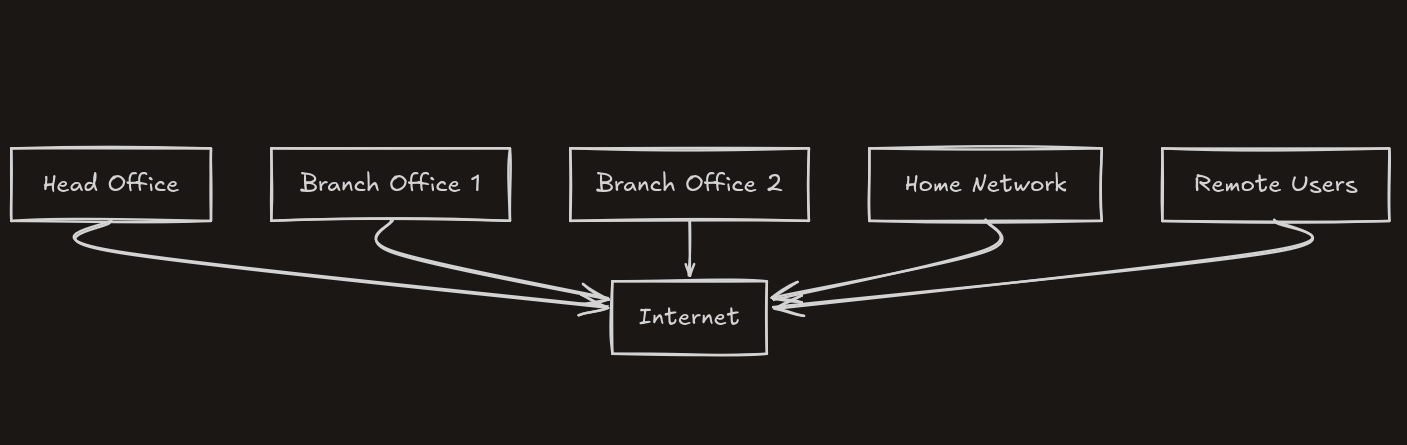
WAN (Wide Area Network) → Large geographical areas; the Internet itself is a massive WAN.
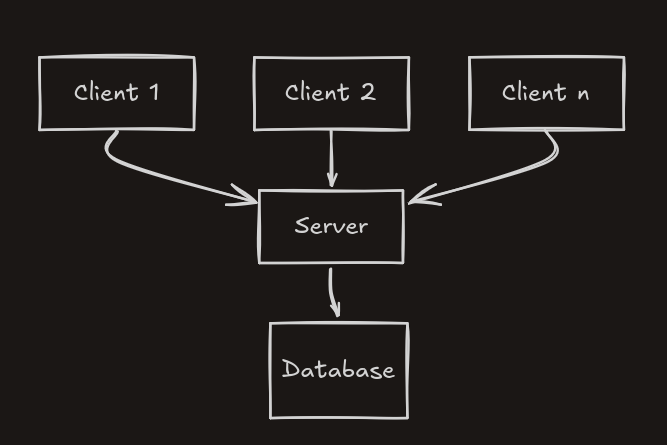
Client–Server networks → Central servers provide services to clients (most web/apps).
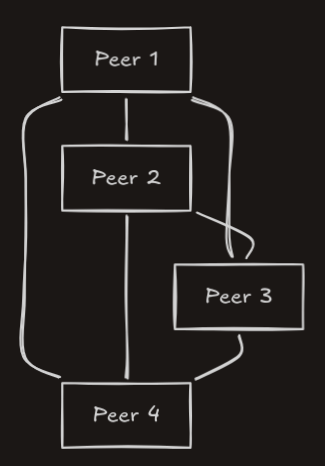
Peer-to-Peer (P2P) → Nodes both consume and provide resources (BitTorrent, some blockchain networks).
Networking Models
There are two frameworks that explain how networks work.
OSI - 7 layers and TCP/IP - 4 layers
OSI model (Open Systems Interconnection ) and TCP/IP model (Transmission Control Protocol/Internet Protocol)
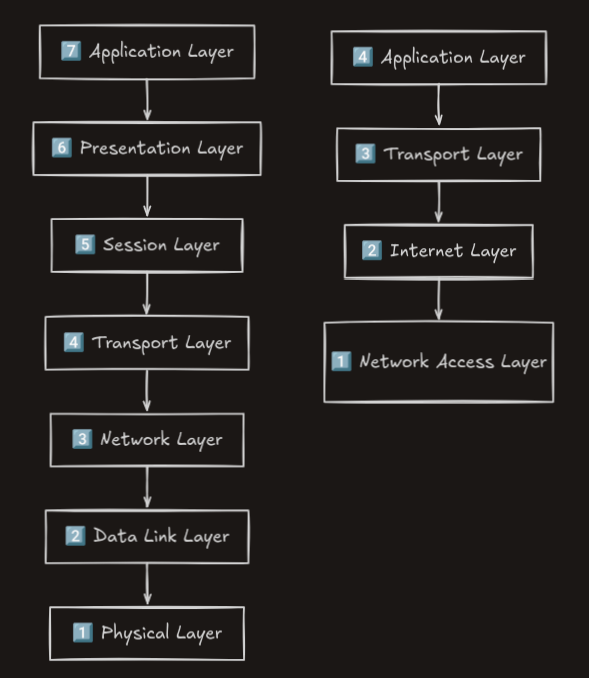
OSI has 7 layers which is mostly theoretical
Application ← HTTP, DNS, SMTP (what users see)
Presentation ← Data formatting, encryption (TLS)
Session ← Connection management (checkpoints)
Transport ← TCP/UDP (end-to-end delivery)
Network ← IP (routing across networks)
Data Link ← Ethernet, MAC addresses (local delivery)
Physical ← Cables, Wi-Fi signals (bits)
TCP/IP is simplified OSI with 4 layers
Application ← HTTP/DNS + OSI layers 5-7
Transport ← TCP/UDP
Internet ← IP/ICMP
Network access layer ← Ethernet/Wi-Fi
Protocols
TCP — Reliable data delivery. Transmission Control Protocol. Guarantees reliable, ordered data delivery. Used when data integrity matters (web pages, emails, file downloads).
UDP — Fast, connection less transfer. User Datagram Protocol. Faster but no delivery guarantee. Used when speed matters more than perfection (video calls, live streaming, online games).
IP — Addressing and routing. Internet Protocol. Handles addressing and routing getting packets from source to destination.
HTTP/HTTPS — Web communication. HyperText Transfer Protocol. The language your browser uses to request and receive web pages. HTTPS adds encryption.
DNS — Converts domain names into IP addresses. Domain Name System. Translates human-readable domain names (google.com) into IP addresses (142.250.80.46). It's the Internet's phone book.
SMTP — Sending emails. Simple Mail Transfer Protocol. Handles sending emails between servers.
Whenever you visit a website, your browser uses multiple protocols together.
Network Topology
Bus Topology

In Bus Topology, all computers are connected to a single central cable called the backbone. Every device shares this cable to send and receive data.
How it Works
When a computer sends data, the signal travels along the backbone cable.
All devices receive the signal.
Only the destination device accepts the data, others ignore it.
Advantages
Simple and easy to install
Requires less cable than other topologies
Low cost
Disadvantages
If the main cable fails, the entire network stops
Difficult to troubleshoot
Network slows when many devices send data
Example
Old Ethernet LAN networks used this topology.
Star Topology

In Star Topology, every device connects to a central device like a hub or switch.
How it Works
A computer sends data to the central switch.
The switch forwards the data to the destination device.
Advantages
Easy to install and manage
Failure of one device does not affect the whole network
Easy to add new devices
Disadvantages
If the central hub/switch fails, the network stops
Requires more cable
Example
Most modern LAN networks use this topology.
Ring Topology

In Ring Topology, devices are connected in a circular loop where each device connects to two neighbors.
How it Works
Each device has a dedicated connection to every other device.
Data can travel through multiple paths.
Advantages
Very reliable
If one connection fails, data can take another path
High security
Disadvantages
Very expensive
Requires large amounts of cable
Complex setup
Example
Token Ring networks used this topology.
Mesh Topology

In Mesh Topology, every device is connected to all other devices in the network.
How it Works
Each device has a dedicated connection to every other device.
Data can travel through multiple paths.
Advantages
Very reliable
If one connection fails, data can take another path
High security
Disadvantages
Very expensive
Requires large amounts of cable
Complex setup
Example
Used in Internet backbone networks and data centers.
Tree Topology

Tree Topology is a hierarchical structure that combines bus and star topologies.
How it Works
A root node connects to multiple switches or hubs.
These hubs connect to multiple computers.
The structure looks like a tree with branches.
Advantages
Easy to expand
Good for large networks
Hierarchical management
Disadvantages
If the root node fails, the entire network may stop
Complex wiring
Example
Used in large organizations and campus networks.
Hybrid Topology

Hybrid Topology is a combination of two or more different network topologies.
Different parts of the network use different topologies.
For example:
Star + Bus
Star + Ring
Advantages
Very flexible
Scalable for large networks
Fault isolation is easier
Disadvantages
Expensive
Complex design
Example
Used in large corporate networks.
Applications Across Industries
Computer networking isn't just about sending messages. It's the invisible backbone of virtually every modern industry.
Healthcare — Electronic health records, telemedicine, remote patient monitoring, and real-time sharing of medical imaging between hospitals all depend on reliable networks.
Finance — Stock exchanges execute millions of trades per second across global networks. Online banking, payment processing, and fraud detection all run on networked infrastructure.
Education — E-learning platforms, virtual classrooms, and digital libraries allow students anywhere in the world to access the same resources.
Manufacturing — Industrial IoT (Internet of Things) connects factory equipment to monitoring systems, enabling predictive maintenance and supply chain automation.
Entertainment — Streaming services like Netflix and Spotify serve personalized content to hundreds of millions of users simultaneously using massively distributed networks.
Government and Defense — Secure communication networks, national databases, and critical infrastructure (power grids, water systems) all rely on networking.
Why You Should Learn Computer Networking?
Whether you're a software developer, a cybersecurity professional, a system administrator, or simply someone who uses the internet, understanding networking makes you significantly more capable.
For developers: Knowing how HTTP, DNS, and TCP/IP work helps you debug issues, design better APIs, and understand why your app behaves the way it does in production.
For cybersecurity professionals: Every attack from phishing to DDoS to man-in-the-middle exploits networking concepts. You can't defend what you don't understand.
For IT professionals: Networking is the foundation. Configuring firewalls, setting up VPNs, troubleshooting connectivity issues it all starts here.
For everyone else: In a world where data is currency and digital infrastructure powers everything from elections to healthcare, understanding how information moves is a form of literacy.
The internet didn't appear fully formed. It was built layer by layer, protocol by protocol, by engineers solving real problems. Understanding those layers means understanding the world you live in.


